

Everyday use
The Network view
See who is running what, where — people, projects, agents and subagents joined up.
The Network view is a second way to look at the same agents. Switch between Board, Network and Projects at the top of the Agents page; your browser remembers the choice.
#How to read it
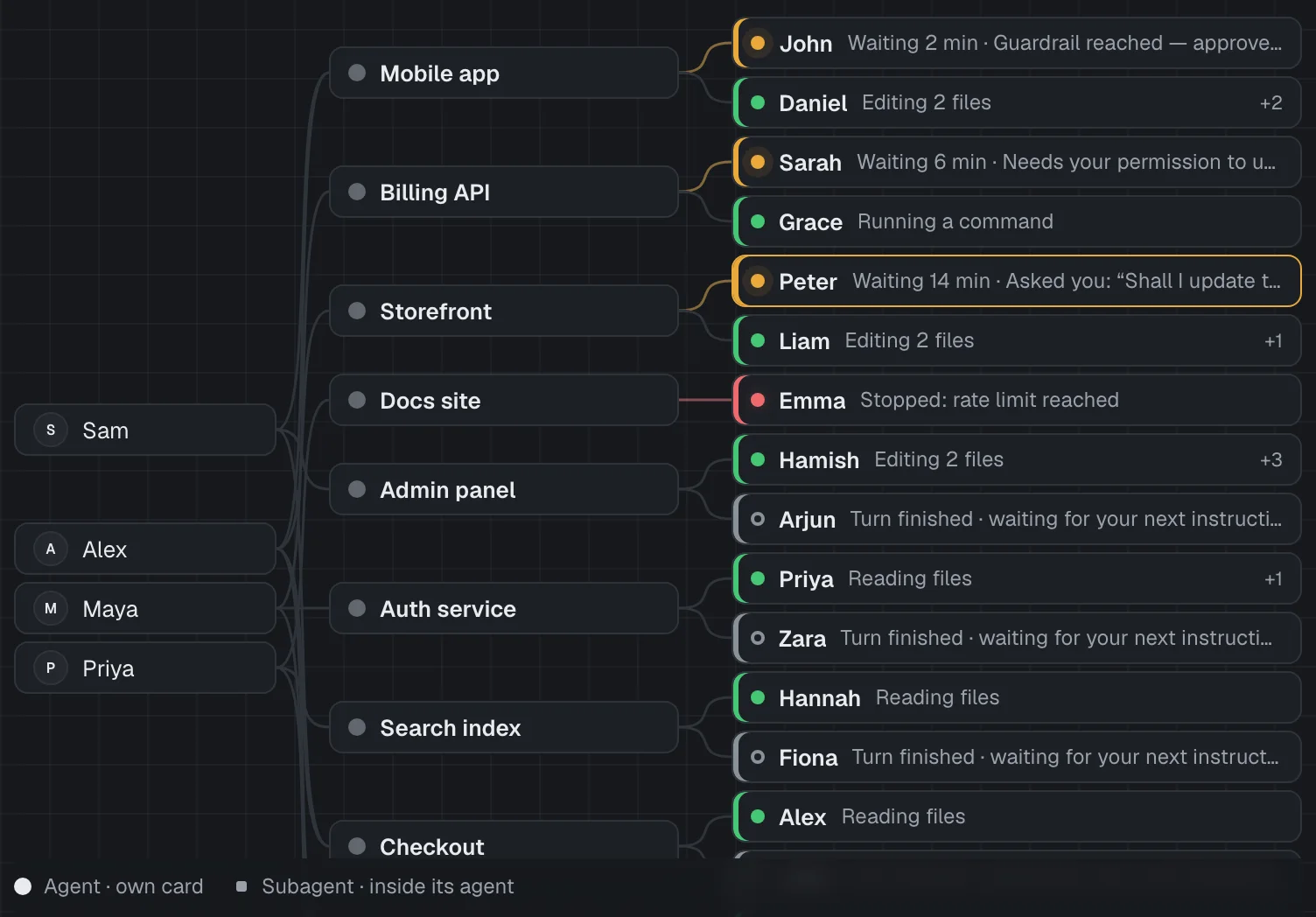
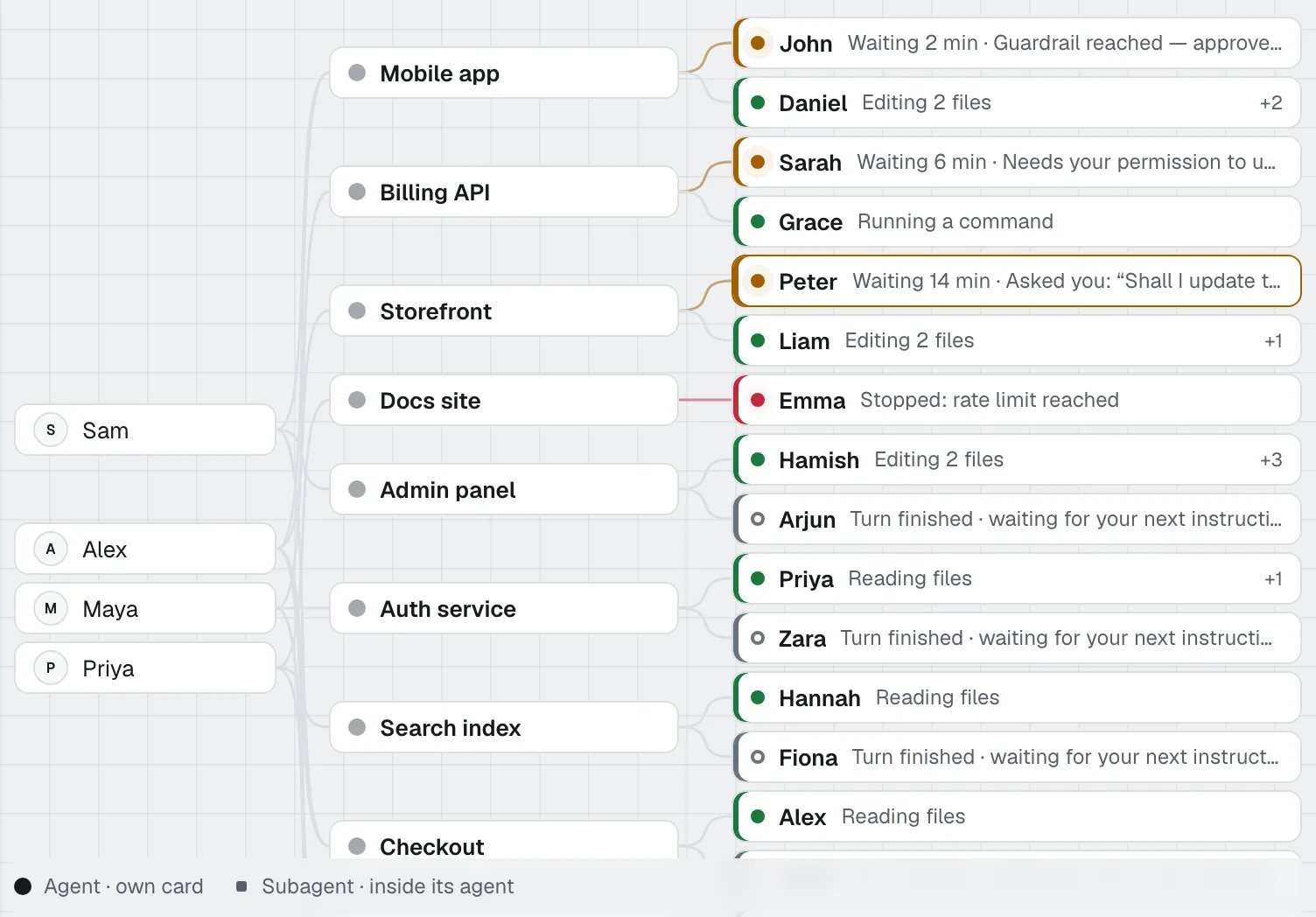
Four columns, left to right:
- People — everyone with open agents (hidden when you're the only person in the workspace).
- Projects — each project with open agents, coloured by its most urgent agent, and where those agents are: "Working · 3" when they're all in one state, otherwise a small dot and count for each state. Hover a project for the full list.
- Agents — each open agent: its state dot, name and one-line reason, grouped by project and in the same urgency order as the board.
- Subagents — each agent's helpers, as small squares in the parent's colour.
Lines join each person to their projects, each project to its agents, and each agent to its subagents. Lines to an agent that needs someone or has failed take a soft tint of that colour.
Hover over (or tab to) a person, project or agent to highlight just its thread; everything else dims, and the highlight stays put as you move between nodes. Select an agent to open its details panel.
The count row, search and filters apply here as they do on the board, and so do hidden states: agents in a hidden state are left out. If every open agent is in a hidden state, the view says so.
#Screen size
The Network view needs some width. Below about 900 pixels the Subagents column folds into a count on each agent ("+3"), and on a phone Agentower suggests the Board instead — or turn your phone sideways.